A scan report shows one aggregate score from 0 to 100, the five weighted sub-scores it rolls up from, and a list of findings — each with a rule_id, a severity, a quotable line of evidence, and a remediation. A severity ceiling caps the aggregate when a serious finding fires, every verdict is appealable by the repo owner, and a low score means review before use, not avoid. The whole report is deterministic and reproducible.
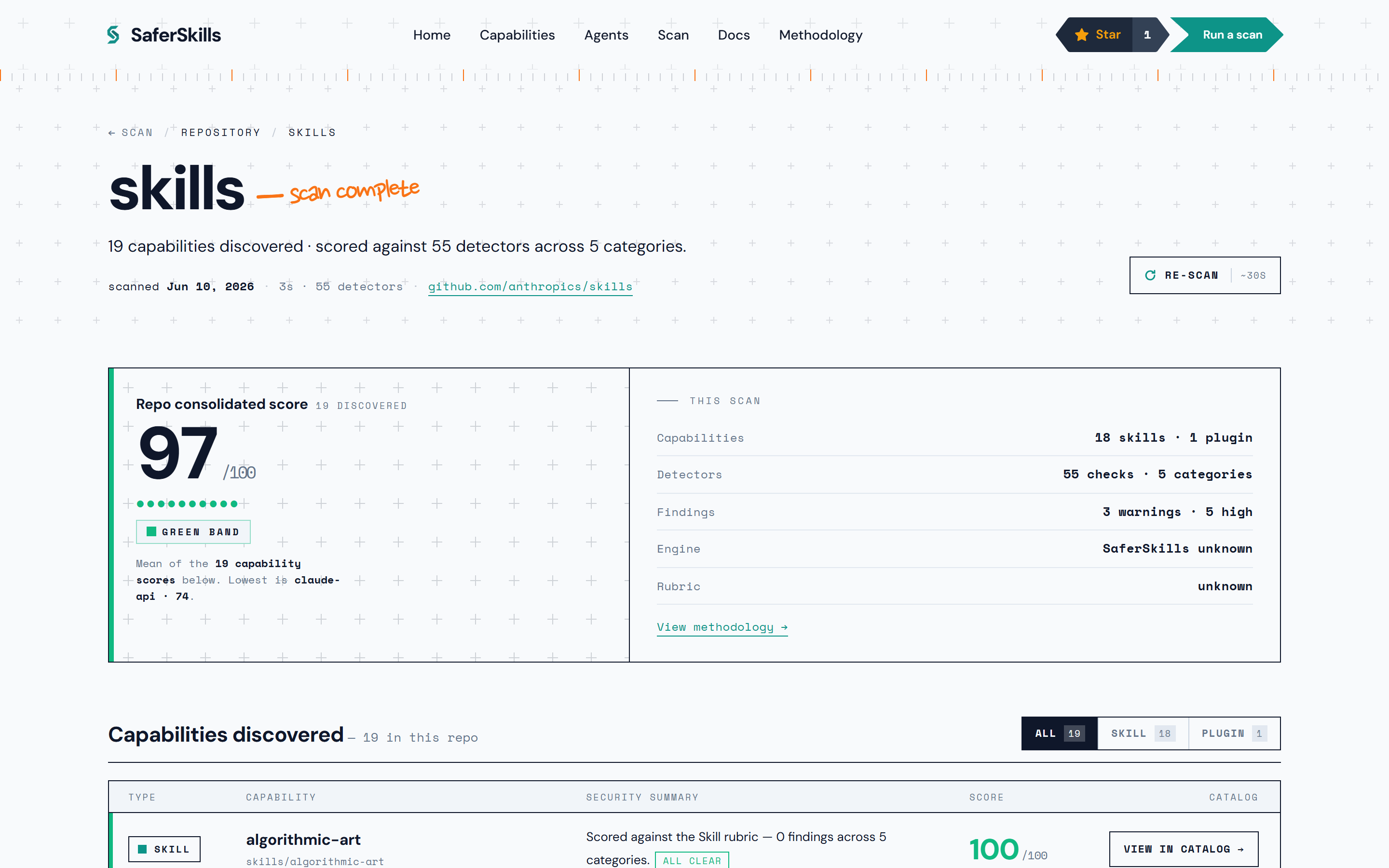
A repository fans out into one report per discovered capability. Opening a single capability shows its own item report — the aggregate score, the latest-scan facts, install activity, and the per-category score breakdown:
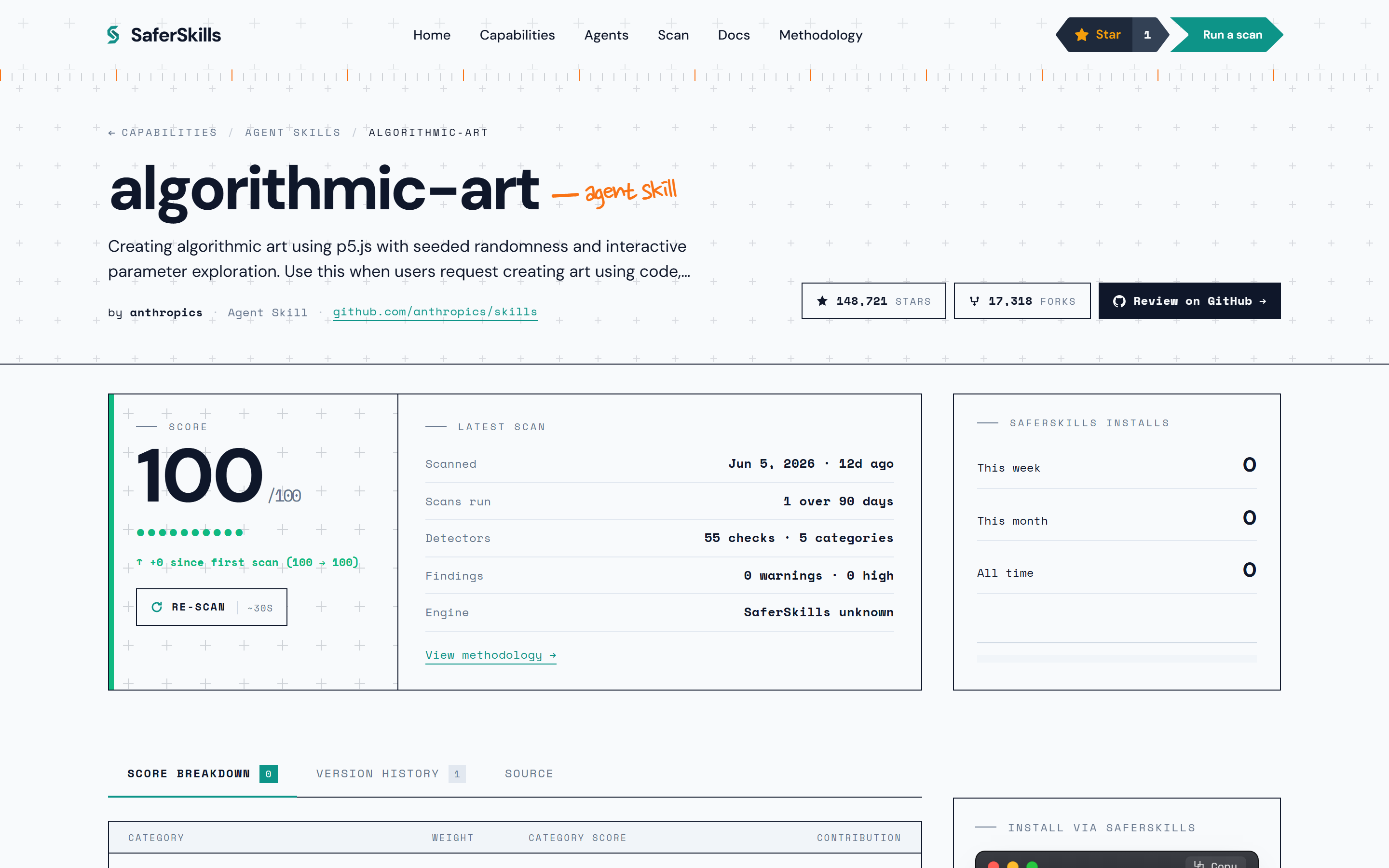

What is the aggregate score?
The aggregate is a single 0–100 number that buckets into a four-tier color band:
| Band | Range | Meaning |
|---|---|---|
| Green | 80–100 | Approved |
| Yellow | 60–79 | Watch |
| Orange | 40–59 | Caution |
| Red | 0–39 | Block |
It is a round() of a fixed weighted sum of the five sub-scores — 0.35·security + 0.20·supply_chain + 0.15·maintenance + 0.15·transparency + 0.15·community. There is no model in this path: the same bytes at the same rubric version always produce the same aggregate.
What are the five sub-scores?
Each sub-score is its own 0–100 axis, computed as max(0, 100 − Σ penalties) from the findings that contribute to it. The five and their weights:
- Security (35%) — prompt injection, obfuscation, dangerous shell, credential exfiltration.
- Supply Chain (20%) — typosquat, owner transfer, hash drift / rug-pull, unsigned releases.
- Maintenance (15%) — commit recency, commit frequency, issue-response time, CI health.
- Transparency (15%) — LICENSE / README / CHANGELOG / SECURITY.md / manifest presence.
- Community (15%) — stars, contributors, cross-registry presence, fork health.
Security carries the most weight because that is where the real harm lives. For the full breakdown of how each axis is computed, see the five sub-scores.
How do I read a finding?
Each finding is a single rule that fired against the scanned bytes. It carries:
- a
rule_id—SS-<CATEGORY>-<NAME>-NN, for exampleSS-SKILL-INJECT-FENCED-RUN-01, naming the exact detector; - a severity — one of
info,low,medium,high, orcritical; - a plain-English title, an explanation of why it matters, and a remediation with a concrete fix;
- an
evidence_excerpt— the matched line window, the exact bytes the rule spotted, shown verbatim on the report so you can see what triggered it; - a limitations note — what this rule cannot catch. There are no black-box findings.
The per-finding penalty is fixed by severity: info 0 · low 5 · medium 12 · high 25 · critical 40. An info finding is advisory — it appears in the trace but carries zero weight. The evidence excerpt is drawn at request time from the stored public snapshot; it is the same already-public content, never new disclosure, and it is never written into the persisted scan trace. See finding evidence for how the evidence is sourced and bounded.
Why is the score so low when only one finding fired?
Because of the severity ceiling. Security is only 35% of the weight, so a single critical security failure with everything else clean would otherwise be diluted by the 65% non-security weight and land in the yellow band. To stop that, the ceiling caps the whole aggregate:
- one active critical finding caps the aggregate at ≤15 (solidly red);
- one active high finding caps it at ≤45.
So a security failure cannot be averaged back up by good docs or a healthy community. The report renders the explicit math — per-finding penalty, running sub-score, the weighted aggregate, and the ceiling that applied — so you can trace exactly how the number was reached. The same ceiling applies across a multi-capability repo, so one dangerous capability among many clean ones still pulls the repo score down.
Can the vendor respond to a finding?
Yes. Every verdict is appealable, and the right-of-reply is structural — never silent deletion. The owner of a scanned GitHub repository can prove ownership (by committing a .saferskills/verify.txt file with their GitHub username, or via a matching maintainer email) and post a public response next to the findings. A verified appeal triggers an immediate re-scan with a one-hour SLA, and the outcome is annotated on the item — findings are never silently removed, they are marked with the appeal result. If you maintain a scanned repo, see disputing findings.
How should I act on a low score?
Review it — do not blindly avoid it. SaferSkills publishes methodology, not endorsements, and a low band is a prompt to look closer, not a ban:
- Read the findings in severity order. A red score driven by one
criticalsecurity finding is a different situation from a red driven by stackedmediummaintenance findings. - Look at the evidence excerpt. It shows the exact bytes the rule spotted, so you can judge whether the match is a real risk in your context.
- Check the sub-score breakdown. A capability can be security-clean but transparency-poor (no LICENSE, no README) — that is a documentation gap, not a threat.
- Read any vendor response. A maintainer may have already explained or remediated the finding.
A clean score is not a safety guarantee either — it means the active rubric did not observe a problem at that version. Treat the report as a structured, reproducible starting point for your own judgment. To learn the threats behind the rules, start with how scoring works.